
Latest News
How Retail Hardware Ensures Brand Compatibility Longevity
In the high-stakes environment of modern retail, the Point of Sale (POS) terminal is not just a calculator; it is the central nervous system of the business. For retail business owners, IT managers, and operations leaders—particularly in dynamic markets like Asian Country—the cost of hardware failure goes far beyond the price of a replacement unit. It manifests as stalled checkout lines, frustrated customers, data corruption, and lost revenue during peak hours.
While many view hardware failure as an inevitable result of wear and tear, the reality is often different. Previous failure and operational glitches are frequently the result of poor hardware compatibility and longevity planning. Reliable retail infrastructure is rarely accidental; it is the engineered outcome of exact sourcing, structured testing and lifecycle management.
This guide explores the unseen processes that ensure retail hardware stands the test of time and integrates smoothly into complex retail ecosystems.
Defining Hardware Compatibility in the Retail Ecosystem
True POS hardware compatibility extends far beyond ensuring a printer plug fits into a terminal port. In a professional retail environment, compatibility is a multi-layered concept involving software, peripherals and infrastructure.
1. The Operating System (OS) Landscape
Retail environments are assorted. While some businesses run the latest versions of Windows or Android, many established retailers rely on legacy systems or specialized Linux distributions to maintain stability. Hardware compatibility means a device must have stable, verified drivers for a wide range of operating systems, ensuring it doesn’t force a retailer to upgrade their entire software stack just to accommodate a new receipt printer.
2. The Software Command Structure
POS software communicates with hardware using specific protocols. For thermal printers, the ESC/POS command set is the universal language. However, “standard” implementation varies by manufacturer. Ensuring hardware compatibility and longevity requires validating that a device interprets commands—such as bold text, cutter activation or drawer kicks—exactly as the software intends, without lagging or freezing.
3. Peripheral Interoperability
A POS terminal never works alone. It must power and communicate with barcode scanners, customer displays, card readers and cash drawers. Compatibility testing ensures that power distribution remains stable when all peripherals are drawing current simultaneously, preventing the common issue of “ghost disconnects” where USB devices drop out due to power fluctuations.
The Reality of Retail Hardware Longevity
There is a fundamental difference between consumer electronics and commercial retail hardware. A consumer laptop is designed for intermittent use in climate-controlled environments. Retail hardware, conversely, must endure “hostile” conditions while running 24/7.
Retail hardware longevity is challenged by specific environmental factors common in emerging markets:
- Thermal Stress: Retail counters can get hot, especially if hardware is enclosed in cabinets with poor airflow. Commercial-grade components must be rated for higher thermal thresholds to prevent throttling or shutdown.
- Particulate Matter: Dust, flour (in bakeries), and fibers (in clothing stores) are the enemies of electronics. Longevity depends on fanless designs or sealed chassis that prevent internal short circuits.
- Power Instability: In regions with fluctuating voltage, standard consumer power supply units (PSUs) often fail. Retail-grade hardware requires robust PSUs with wider input voltage tolerances to absorb spikes without frying the motherboard.
The Sourcing and Evaluation Process: The First Line of Defense
Ensuring retail hardware reliability begins long before a device reaches a store shelf. It starts at the component sourcing level. A responsible hardware partner operates as a gatekeeper, filtering out low-quality manufacturing before it enters the supply chain.
Manufacturer Vetting and Component Selection
The external casing of two POS terminals may look identical, but the internal components dictate their lifespan. The evaluation process involves:
- Motherboard Quality: Inspecting the PCB (Printed Circuit Board) for industrial-grade capacitors that resist swelling and leaking over time.
- Port Durability: verifying that USB, COM, and LAN ports are soldered securely to withstand thousands of plug-unplug cycles.
- Screen Integrity: For touch POS systems, sourcing true flat, water-resistant capacitive screens that do not lose sensitivity after millions of touches.
By controlling sourcing at this granular level, distributors like Retail’s Brand ensure the foundational quality necessary for long-term use.
Rigorous Compatibility Testing Methodologies
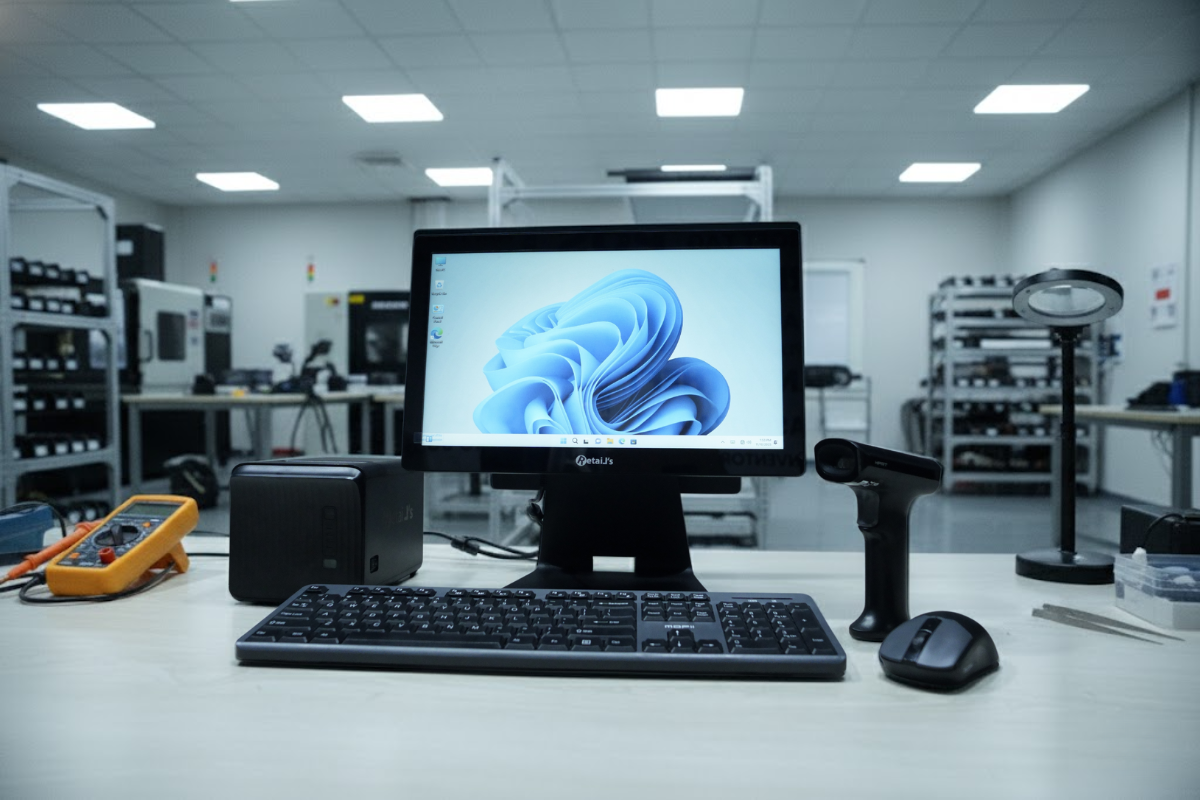
Once a prototype is selected, it undergoes a POS hardware testing process designed to break it. The goal is to identify incompatibilities in the lab so they never occur at the checkout counter.
Cross-Platform Validation
Technicians install multiple operating systems on the test units—from Windows 7/10/11 to various Android builds and Linux distributions. They install standard drivers and observe system stability. Does the touchscreen driver conflict with the mouse? Does the printer spooler crash after 500 consecutive jobs? Only hardware that remains stable across all platforms passes.
Software Integration Stress Tests
Hardware is tested against popular local and international POS software solutions. This step verifies that the hardware correctly handles specific API calls. For example, a barcode scanner is tested to ensure it can read damaged or high-density codes quickly, as slow scanning is a primary cause of checkout bottlenecks.
Stress Testing and Reliability Validation
To guarantee retail hardware longevity, devices must be subjected to simulated aging. This process, often called “burn-in testing,” mimics years of usage in a condensed timeframe.
Thermal and Environmental Chambers
Hardware is placed in environmental chambers that cycle through high and low temperatures and varying humidity levels. This exposes weak solder joints or thermal paste failures. In markets like Bangladesh, where humidity can be high, this testing is crucial to prevent corrosion on internal components.
Mechanical Endurance
- Touch Screens: Robotic arms simulate millions of taps on the same spot to test for dead pixels or drift.
- Cable Strain: Ports are stress-tested to ensure that cables pulled by busy cashiers won’t snap the internal connectors.
- Drop Tests: Mobile POS units and handheld scanners undergo drop tests from varying heights to ensure the chassis and internal shock absorbers protect the electronics.
The Role of International Standards and Certifications
Certifications are not just badges; they are engineering benchmarks. Adhering to international standards is a key indicator of a commitment to hardware compatibility and longevity.
- CE & FCC: These certify that the device does not emit electromagnetic interference (EMI) that could disrupt other sensitive equipment, like security tags or payment terminals.
- RoHS: Ensures the hardware is free from hazardous materials like lead, which is critical for environmental safety and export compliance.
- ISO Manufacturing Standards: sourcing from ISO-certified factories ensures consistency. It means unit #1,000 is built to the exact same standard as unit #1.
Post-Deployment Support and Lifecycle Management
Even the most robust hardware requires management. A key differentiator for Retail’s Brand is the view that the sale is the beginning of the lifecycle, not the end.
Firmware and Driver Updates
Operating systems evolve. A reliable hardware partner provides a repository of updated drivers and firmware to ensure that a printer bought three years ago works with today’s Windows update. This extends the effective life of the asset, increasing ROI.
Spare Parts Availability
In a “throw-away” culture, retail hardware must be repairable. Lifecycle management involves stocking spare parts—print heads, power adapters, touch panels—locally. This ensures that a minor failure doesn’t require a full unit replacement, significantly lowering the Total Cost of Ownership (TCO).
The Distributor as the Quality Assurance Layer
For retailers in emerging markets, a specialized distributor acts as the final quality assurance layer. They bridge the gap between global manufacturing output and local retail reality. They do not just move boxes; they configure settings, update firmware to local standards, and verify power compatibility before the hardware is ever deployed to a store.
Conclusion: Reliability is an Engineered Outcome
In the fast-paced world of retail, downtime is not an option. While the allure of low-cost, unverified hardware can be tempting, the hidden costs of incompatibility and early failure inevitably outweigh the initial savings.
Hardware compatibility and longevity are not features that can be added on later; they must be built in from the start. They are the result of deliberate sourcing, punishing stress tests, and a commitment to standards.
For business owners and IT leaders, partnering with a process-driven hardware provider like Retail’s Brand ensures that their infrastructure is an asset, not a liability. By prioritizing rigorous testing and lifecycle support, retailers can stop worrying about their tools and focus entirely on their trade.
Our Recent News
What Retailers Should Expect from POS Hardware in 2026
Retail Automation Trends Powered by Asian Manufacturing
Inside a POS Hardware Factory: Quality Control That Matters